React2Shell (CVE-2025-55182)
#security #nextjs #vps #docker #vercel
Record of an incident tied to React2Shell (CVSS 10). The server was compromised while running an affected version (15.5.2).
Observations
Dashboard
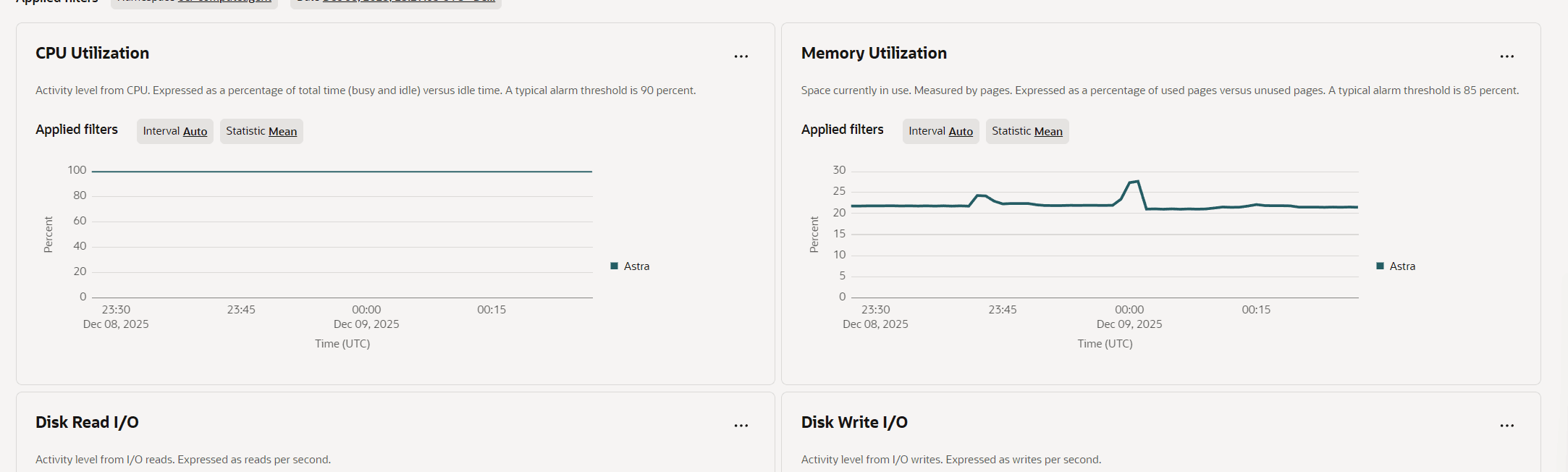
100% CPU usage
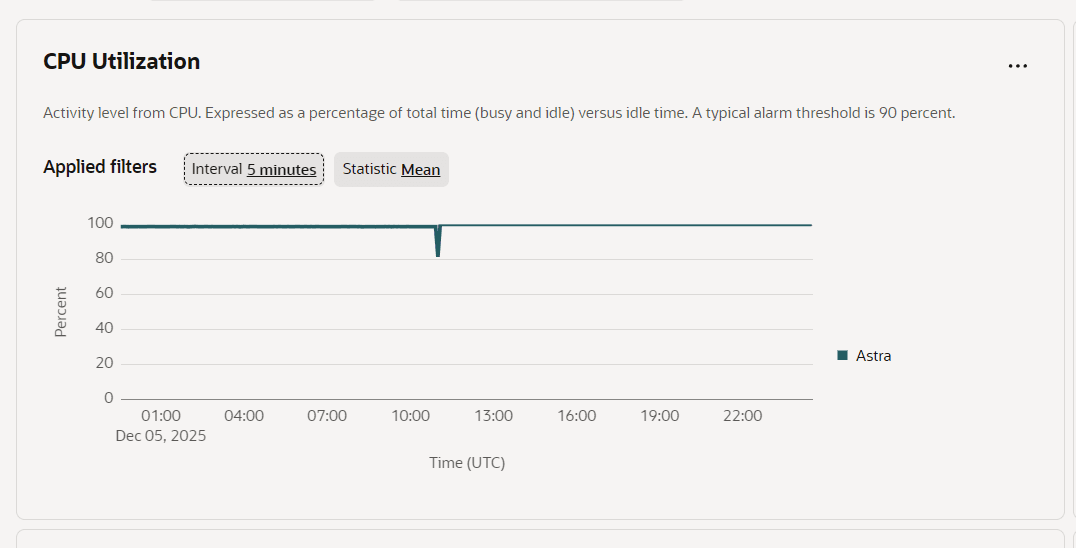
From Oracle Monitor, CPU usage was at 100%. A process that started on Dec 05 was consuming all CPU resources for mining. CPU utilization was pinned at 100% across the visible window. Memory stayed around the low 20% range.
Process inspection
I checked the process and terminated it. The process list showed a suspicious binary (the name looked randomized) consuming roughly 385% CPU and running since Dec 05.

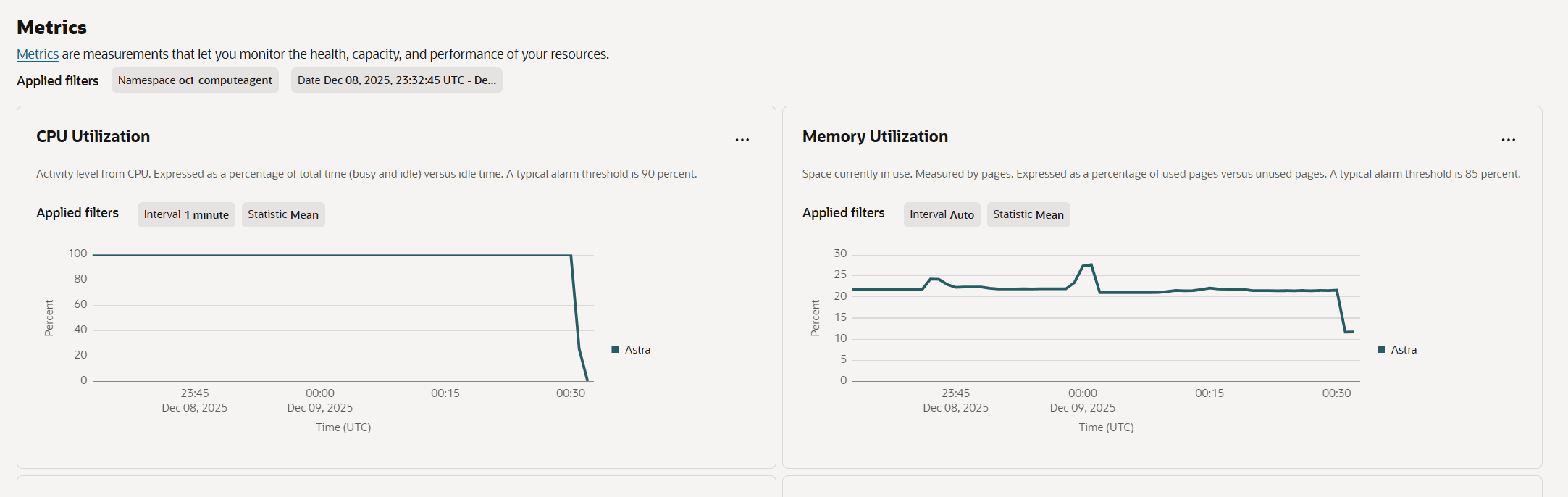
After terminating the process, CPU dropped sharply from 100% to near 0%, and memory stepped down from ~22% to ~12%. A longer time range showed that the process didn’t restart itself.
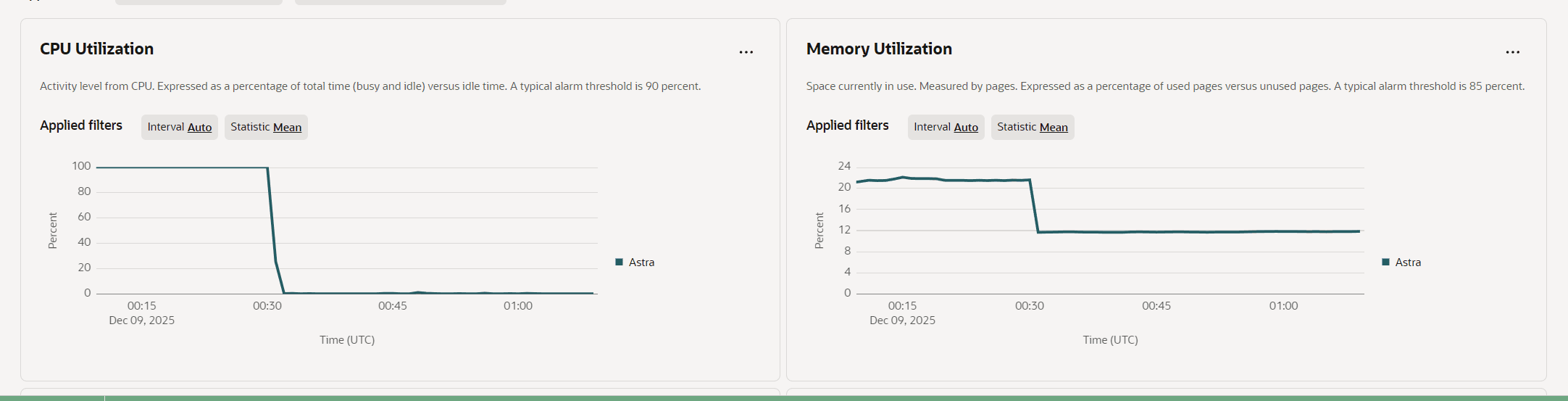
Back on Dec 05, the CPU load stayed high.
Digging deeper
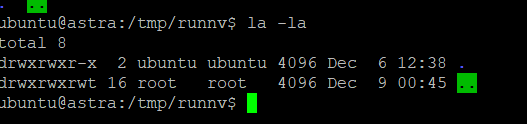
I found a folder named runnv in /tmp, which others have reported as related to this incident.
/tmp/runnv existed with write permissions and was created on Dec 06 at 12:38 under the ubuntu user.
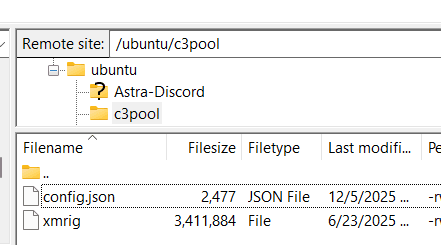
A remote file listing showed config.json and a large xmrig binary (~3.4 MB), consistent with crypto-miner artifacts.
Logs
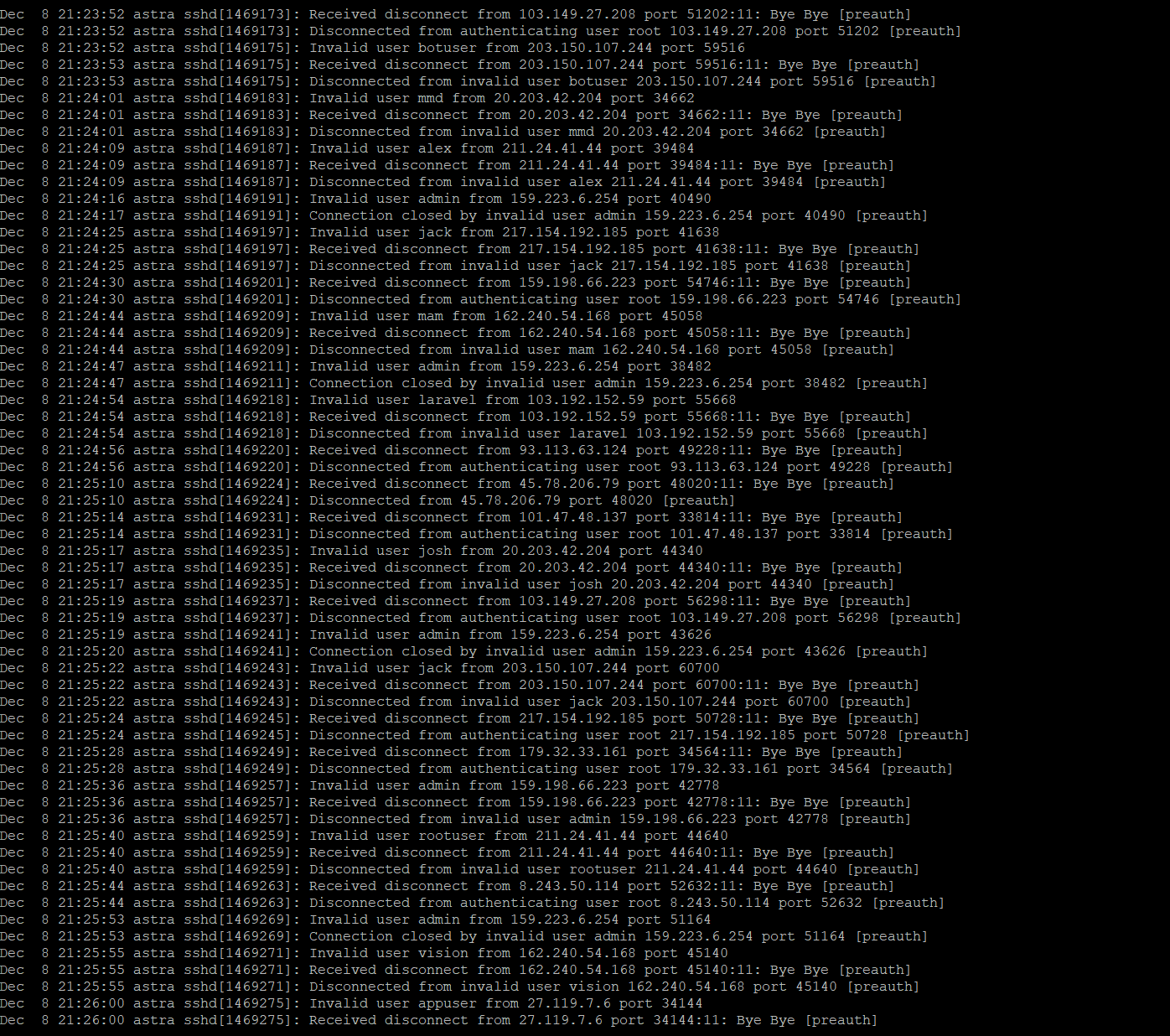
There were multiple login attempts with different usernames. I’m not sure whether they were directly related to React2Shell, but this is common for public servers.
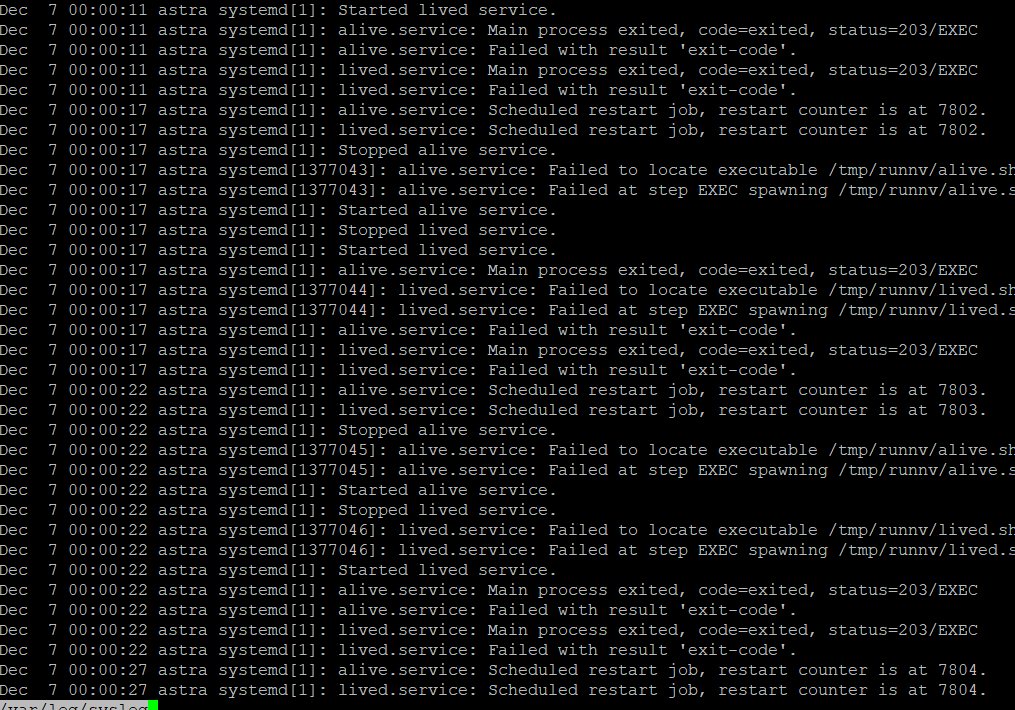
There were unrecognized systemd services. systemd repeatedly tried to start alive.service and lived.service, but failed to execute because the files are deleted somehow.
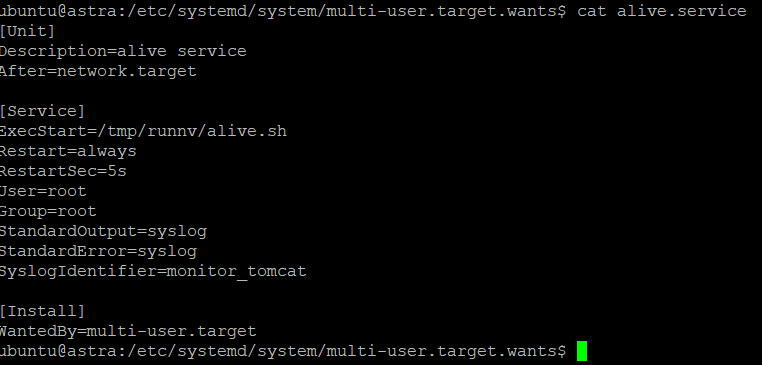
The service repeatedly executed runnv/alive.sh. alive.service ran as root and executed /tmp/runnv/alive.sh, with Restart=always every 5 seconds.
Conclusion
This system is no longer safe to use. Reinstallation is required.
Patch
Updating NextJS
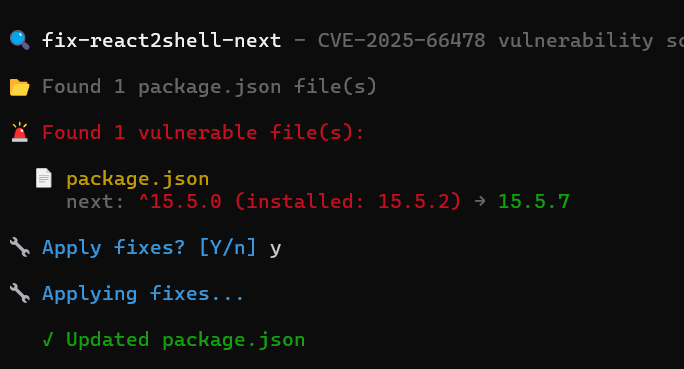
Security tooling flagged a vulnerable Next.js version and recommended upgrading to 15.5.7 (from 15.5.2).
Set up early alerts
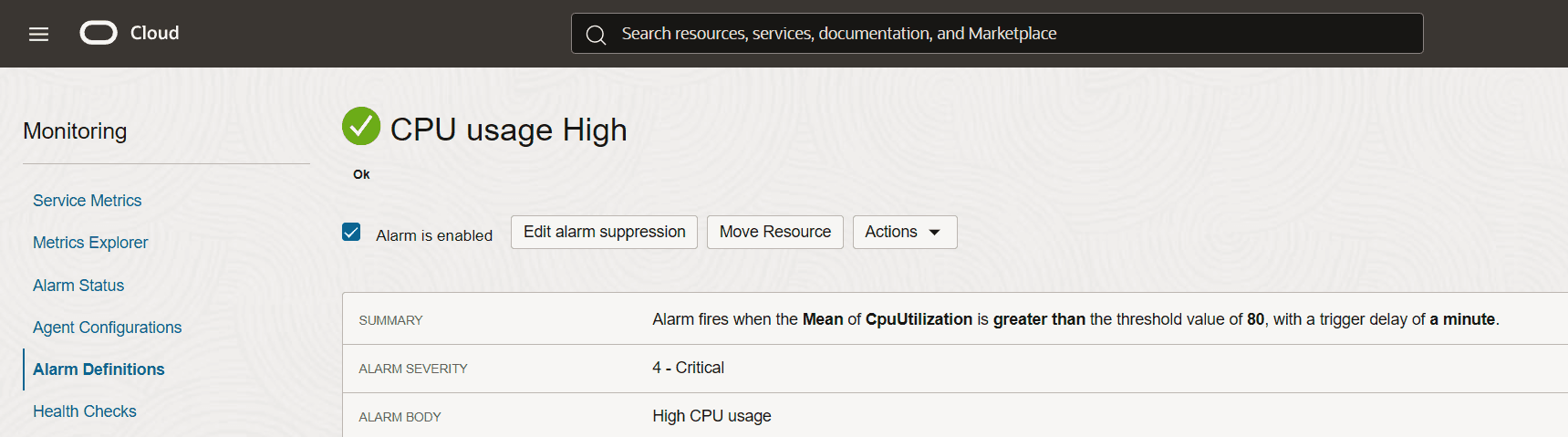
I set up an email alert if CPU usage is high for a minute.
What to do next time
Prevention
The only realistic path is to track CVEs and minimize the blast radius.
Keep up to date
- Restart and update the project daily, or add a webhook to trigger CI when updates are available.
- Questions:
- What if the vulnerability is in Linux itself, Docker, or Node.js?
- update: CVE-2026-31431, Copyfail. I upgraded asap. Maybe this is the only way to prevent it. Maybe a solution would be a hook to monitor CVE exploits and automatically path using Claude? lol
- What if the vulnerability exists in the latest version, not the old ones?
- What if the vulnerability is in Linux itself, Docker, or Node.js?
Recovery plan
Honestly, unless we are disconnected from the internet, getting compromised is inevitable. So we should think about how to recover from it instead.
Isolation the damage
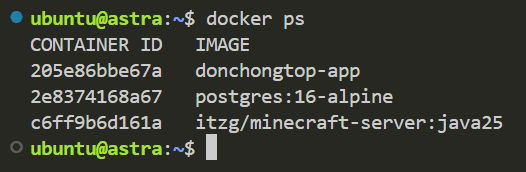
Run the server in Docker. This adds a layer of isolation, but it is not bulletproof. Docker uses namespaces to isolate running containers, yet it is still possible for an application inside a container to escape, as demonstrated by CVE-2019-5736. The Docker-based approach has helped isolate React2Shell within the container, based on others’ experience.
Recovery by Docker
Dockerize services so reconfiguration is fast and repeatable.