Bill-AI - Receipt Extractor
#ai #azure #automation #chatbot
Since I live with roommates, we keep track of our shared expenses through bookkeeping. It helps us see what we’ve spent money on and compare the prices of items over time. However, manually recording every item is time-consuming, so I built a receipt extractor that uses OCR to process our receipts automatically.
Here is how it works:
- Upload the image of the receipt to my Discord server.
- Bill-ai will OCR the receipt and return a link.
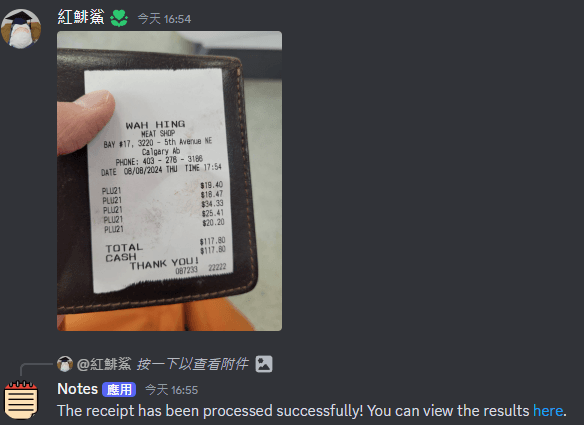
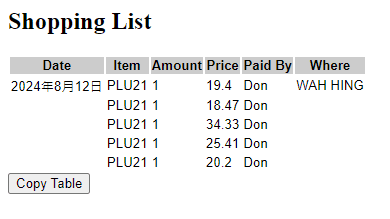
- Click on the link, and copy the data
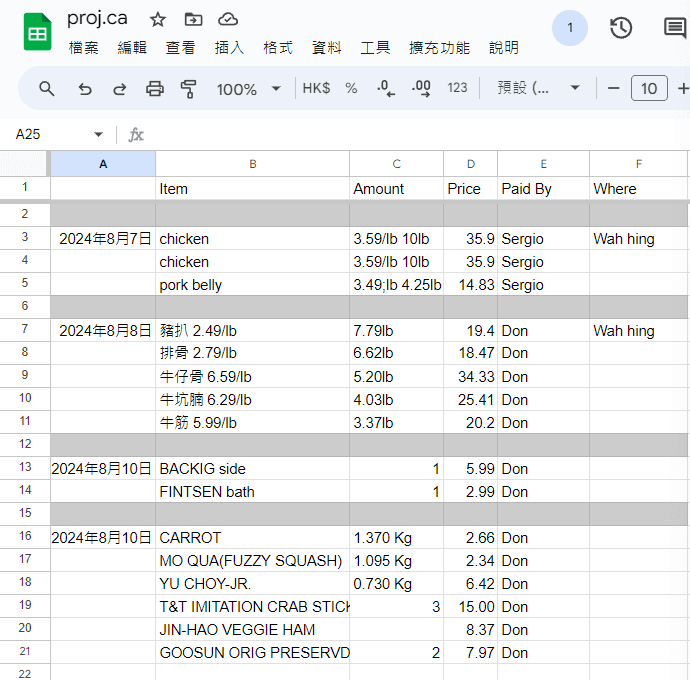
- Paste the data into our spreadsheet, and check if the sum is correct.
Discord is used as the platform because it has the following advantages:
- It keeps everything in record, I don't have to save it.
- It has accounts inherently; I can tell who bought the item easily.
- Discord has PC and mobile versions, convenient for taking a picture when we are shopping and editing a spreadsheet on a computer.
- The media link in Discord is convenient for API calls.
We’ve been using it for over a year now, and it’s been working great. We’ve already gathered years of grocery data — and I’ve now put it to use by building a price check feature with RAG.
Starting Point: Forked from My Discord AI
This project start with a Discord chatbot named Bill, designed for ledgering and receipt processing.
Bot Name: Bill

Function: Ledgering and Receipt Processing

Capabilities:

Receipt Image Processing:
When you receive an image, call the analyse_receipt function to extract data and return a link with the results.
If the function fails, ask the user to retake the photo.

User Interaction:
Users can upload receipt images, and the bot will respond with a processed link.

User ID to Name:
{
 351760839897907200: Don,
 674575758706081802: Don,
 267691555261906944: Samuel
}
Adding Image Support
Since GPT-4o and GPT-4o mini now support image input through the Assistant API, I wanted to experiment with it even if it might not be part of the final product.
The attachments on Discord could be accessed through a URL, which is what the GPT-4o API takes, therefore, the implementation is quite simple:
if (message.attachments.size) {
  const attachmentURLs = message.attachments.map((info) => info.url);
  console.log(attachmentURLs[0]);
  content = [
    { type: 'text', text: content },
    {
      type: 'image_url',
      image_url: {
        url: attachmentURLs[0],
        detail: 'high',
      },
    },
  ];
}
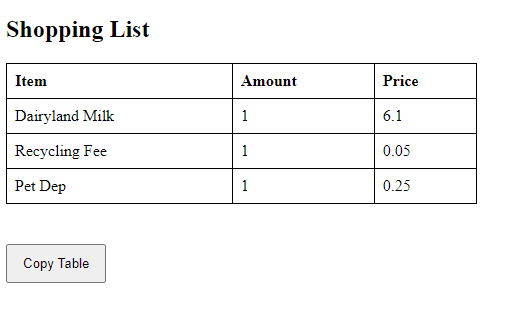
Thanks to multimodal in GPT-40 and GPT-4o mini, simply by feeding in the image and asking it to put down the grocery items in JSON format, it can produce a decent result. I created a simple static HTML page that converts a JSON object into a table for easy copying. I ask GPT to construct a URL in that format, like follow:
http://40.233.83.154:8080/?bill=%7B%22items%22:[%7B%22item%22:%22Dairyland%20Milk%22,%22price%22:6.1,%22amount%22:1%7D,%7B%22item%22:%22Recycling%20Fee%22,%22price%22:0.05,%22amount%22:1%7D,%7B%22item%22:%22Pet%20Dep%22,%22price%22:0.25,%22amount%22:1%7D]%7D
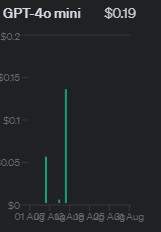 After several tests, GPT started mixing old data with new requests, and my API bill starts to skyrocket.
To reduce cost and improve reliability, I decided to use a more dedicated solution for receipt extraction.
After several tests, GPT started mixing old data with new requests, and my API bill starts to skyrocket.
To reduce cost and improve reliability, I decided to use a more dedicated solution for receipt extraction.
Integrating Azure Document Intelligence
Document Intelligence offers OCR services for receipt extraction up to 500 images free per month. I decided to pair it with ChatGPT with a tool called Function. (At this point, having ChatGPT involved is just for fun lol)
By following this sample: Azure Sample: analyzeReceiptByModelId.js, I started getting some results.
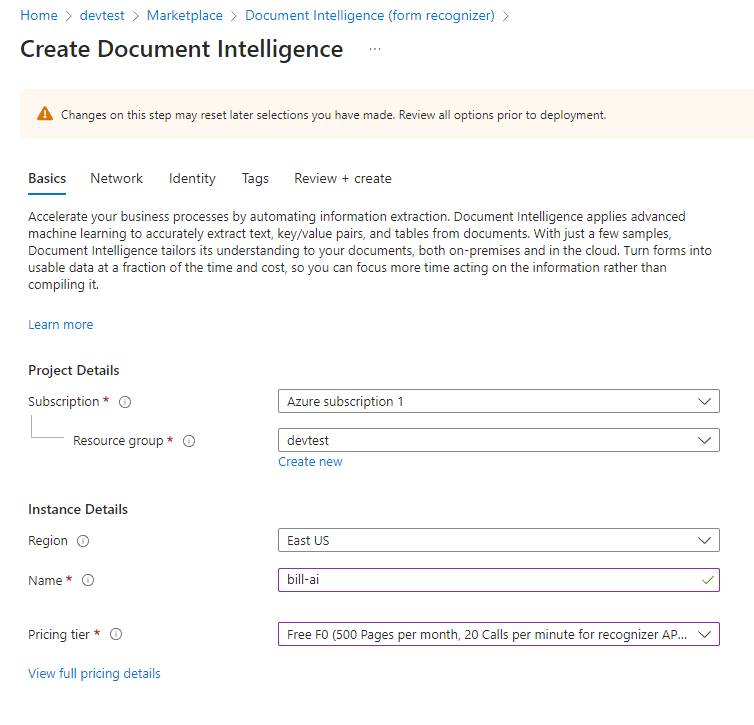
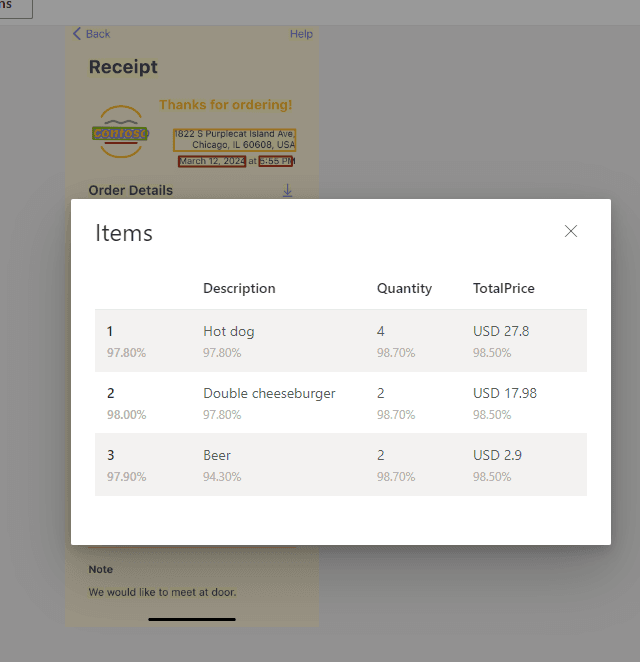 Although Document Intelligence also support sending images by links, Discord media links don’t work with Azure (likely due to URL encoding or access restrictions). Most photos also exceed the 4MB limit of the free tier, so we need to download and do some pre-processing to the images.
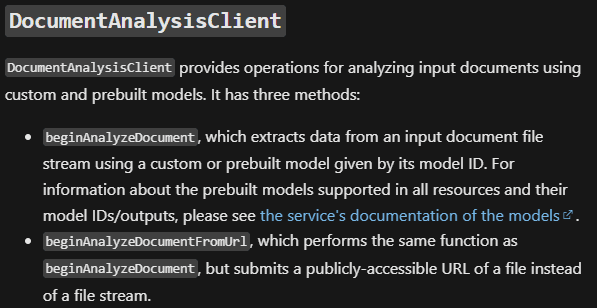
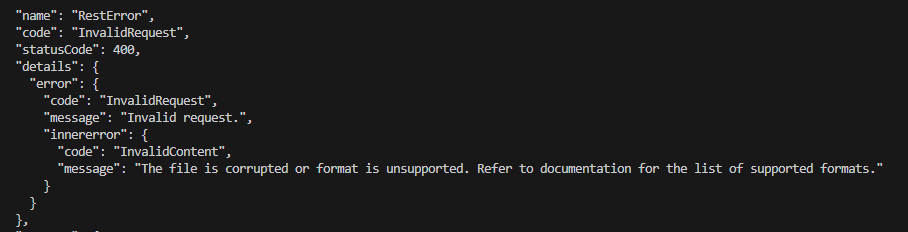
Image Pre-Processing
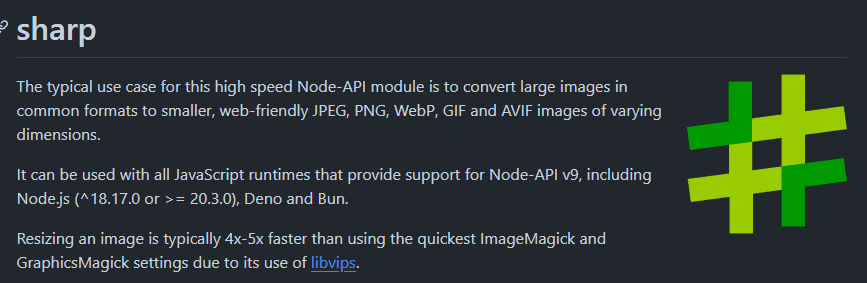
Sharp is a powerful and easy-to-use image processing library. It might be overkill for my use case, but it works great.
 To reduce file size, instead of lowering the resolution, I chose to convert images to grayscale. Since color doesn’t add much useful information for OCR, this approach significantly reduces file size without sacrificing image quality. The text and edges remain sharp and readable, resulting in better overall recognition accuracy.

Wrapping up
Zero Downtime
Occasionally, the bot crashes, so I looked into better process management. I found PM2, a Node.js process manager that supports zero-downtime restarts. Perfect chance to test it out by crashing the bot deliberately.
Solving the crash
The crashes occur because a single thread can only process one message at a time. Submitting a new message before the previous run finishes causes this error from OpenAI API:
“You can’t add a new run as run_123456789 is active.”
Cancelling and restarting works temporarily, but doing this too often locks the thread in a “cancelling” state, preventing new runs for a while.
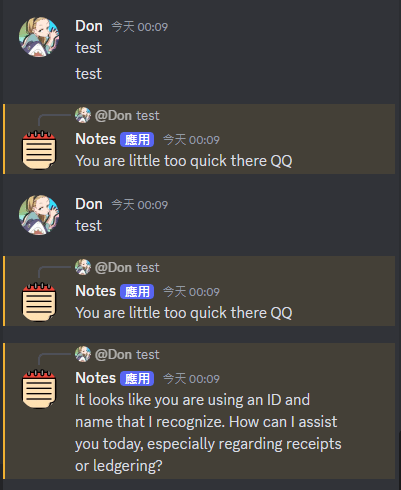
To fix this, I implemented a simple lock. If a new message arrives before the previous one finishes, the bot replies with:
“You’re a little too quick there.”
This way only one images will process at a time, preventing it from crashing.
With the process now finalized, Bill-AI is running 24/7 and restarts itself automatically upon any unexpected error. I also configured it to auto-start whenever the host machine reboots, all managed by PM2. This setup makes the entire system basically maintenance-free.
Price Check with RAG
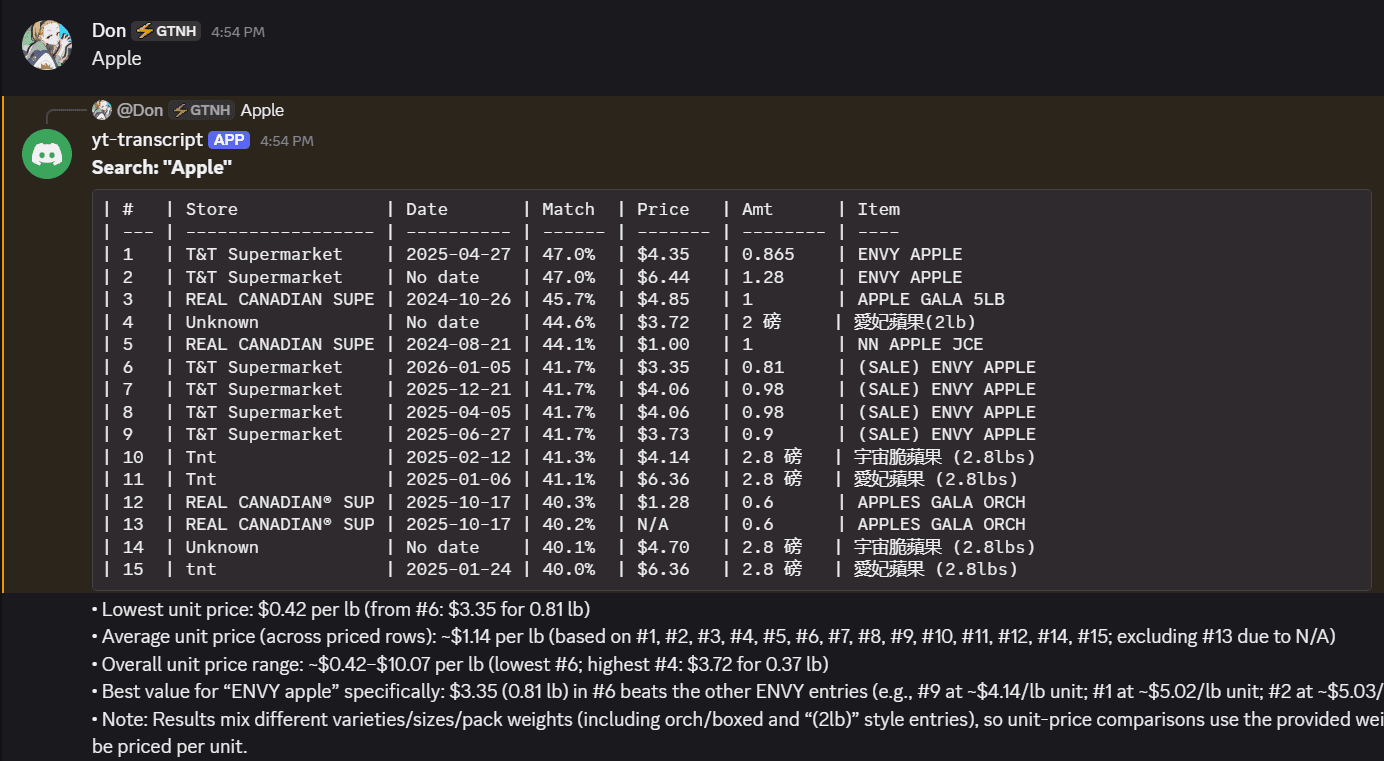
After years of receipt data accumulation, I built a RAG-powered price history search that lets us semantic search items directly in Discord.
Ingestion Pipeline
Receipt JSON files are processed and each line item is embedded using OpenAI text-embedding-3-large, then stored in PostgreSQL with the pgvector extension. To avoid re-processing unchanged files, every file is tracked by its SHA-256 hash, only modified files get re-ingested.
An HNSW index is created on the embedding column for fast approximate nearest-neighbor lookups.
Semantic Search
Queries are embedded with the same model and matched against stored items using cosine similarity:
SELECT item_name, store, date, price, amount,
       1 - (embedding <=> $1::vector) AS similarity
FROM shopping_items
ORDER BY embedding <=> $1::vector
LIMIT $2;
This means searching "2% milk" will also surface "whole milk" or "dairy" results, not just exact keyword matches.
Discord Interface
Users type a query in a designated Discord channel, and the bot replies with a formatted price history table, with a short summary using gpt-5.4-nano: